Choosing a code graph for your coding agent: GitNexus vs Graphify vs CodeGraph
How GitNexus, Graphify and CodeGraph index a repository and expose it to an agent: inputs, storage, refresh, tool surface, licensing, and what we have and have not measured.

Why this comparison
An agent investigating a change often needs code that is not in the file it is editing: the callers of a function, the route that reaches a handler, the tests that cover a path. Code graph tools index those relationships ahead of time and hand them to the agent over MCP.
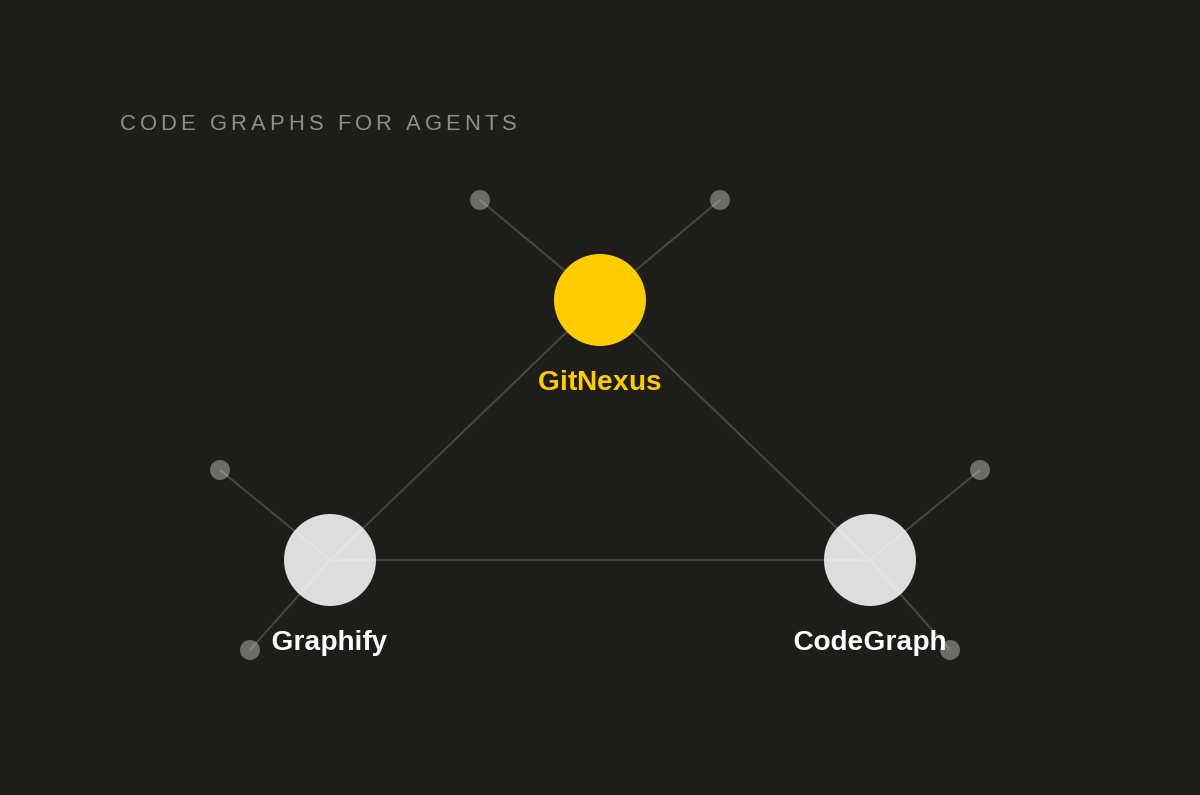
GitNexus, Graphify and CodeGraph all do this. All three parse with tree-sitter, run their code indexing locally and integrate with the common coding agents. They differ in what they index, how they store it, how they keep it fresh, and which questions they expose as tools.
We build GitNexus. The descriptions below come from each project's README as of November 26, 2026, and the benchmark numbers are from our own runs. Where we have not measured something, we say so.
How each tool builds and serves its graph
| GitNexus | Graphify | CodeGraph | |
|---|---|---|---|
| Code languages | 18, plus experimental R | ~40 | 30+ |
| Non-code inputs | None | Docs, SQL schemas, configs, PDFs, images, audio, video | None |
| Storage | LadybugDB, an embedded graph database with vector support | graph.json | SQLite with FTS5 |
| Default MCP surface | 6 tools | Graph tools plus PR review tools | 1 tool, with 7 more opt-in |
| Visual output | Web UI with an interactive graph | graph.html | Not documented |
| Install | npx gitnexus analyze | uv tool install graphifyy | codegraph install, codegraph init |
| License | PolyForm Noncommercial 1.0.0 (source-available); commercial license from Akon Labs | Apache-2.0 / MIT | MIT |
| GitHub stars (Nov 26, 2026) | 48.8k | 153.3k | 78.7k |
A note on the storage row: a graph database, a JSON file and SQLite can all represent and traverse edges. Storage alone does not tell you which tool is faster or more precise. That depends on what edges each indexer resolves, which is what the next section is about.
Which questions each tool answers
The more useful comparison is the tool surface: which questions an agent can ask directly, and whether that tool is on by default.
| Question | GitNexus | Graphify | CodeGraph |
|---|---|---|---|
| Find the code relevant to a question | queryMCP | query_graphMCP | codegraph_exploreMCP |
| Who calls this symbol? | contextMCP | get_neighborsMCP | codegraph_callersMCP opt-in |
| What does changing this symbol affect? | impactMCP | affectedMCP | codegraph_impactMCP opt-in |
| How does symbol A reach symbol B? | traceMCP | shortest_pathMCP | — |
| What does this diff touch? | detect_changesMCP | get_pr_impactMCP | affected (tests)CLI |
| Preview a rename across the codebase | renameMCP | — | — |
GitNexus
GitNexus indexes symbols, calls, imports, clusters and execution flows into LadybugDB. Its six MCP tools are organized around changing code:
queryfinds code and related execution flows for a question.contextreturns a symbol's relationships in the graph.impactwalks callers and dependents of a symbol up to a chosen depth, so the agent sees what to check before editing.tracereturns the path between two symbols.detect_changesmaps a git diff to the symbols and flows it touches.renamepreviews a semantic rename across the codebase.
The same graph is available from the CLI and a browser UI built on Sigma.js. Supported agents include Claude Code, Cursor, Codex, Antigravity, Factory Droid, OpenCode, CodeBuddy and Qoder, with Windsurf through manual MCP setup.
An impact result lists the callers and dependents to inspect. It does not predict which of them will break, and the agent or reviewer still has to read them.
Graphify
Graphify indexes more than code. It pulls documentation, SQL schemas, configs and PDFs into the same graph, and an optional LLM pass extracts structure from documents and media. The code path is deterministic tree-sitter parsing; the semantic pass uses whichever model backend you configure, including local ones.
Each edge is tagged EXTRACTED when it comes directly from the source or INFERRED when it was derived. Both kinds can be checked against the source, and the tag tells you which method produced the edge.
The output is graph.json, plus an interactive graph.html and a GRAPH_REPORT.md summary. The MCP server exposes query_graph, affected, shortest_path, get_node, get_neighbors, get_community, god_nodes and PR tools such as get_pr_impact and triage_prs.
CodeGraph
CodeGraph uses a Rust indexer with tree-sitter grammars for 30+ languages and stores the index in SQLite with full-text search. OS file watchers keep the index in sync as files change. It also handles framework routing for 20+ web frameworks and bridges mixed-language code such as Swift and Objective-C.
By default it exposes one MCP tool, codegraph_explore, which returns entry points, related symbols and code snippets. Seven more tools, including codegraph_callers, codegraph_callees and codegraph_impact, can be enabled with the CODEGRAPH_MCP_TOOLS environment variable. The CLI adds impact and affected, which finds test files affected by changed files.
CodeGraph's own benchmark (August 2026, Claude Opus 4.8, seven repositories, median of four runs per arm) uses architecture questions such as how a renderer updates canvas elements. With the index, the agent answered in one to four codegraph_explore calls, and the maintainer reports 88% fewer tool calls, 53% faster responses, 62% fewer tokens and 44% lower cost than without it.
What we have measured
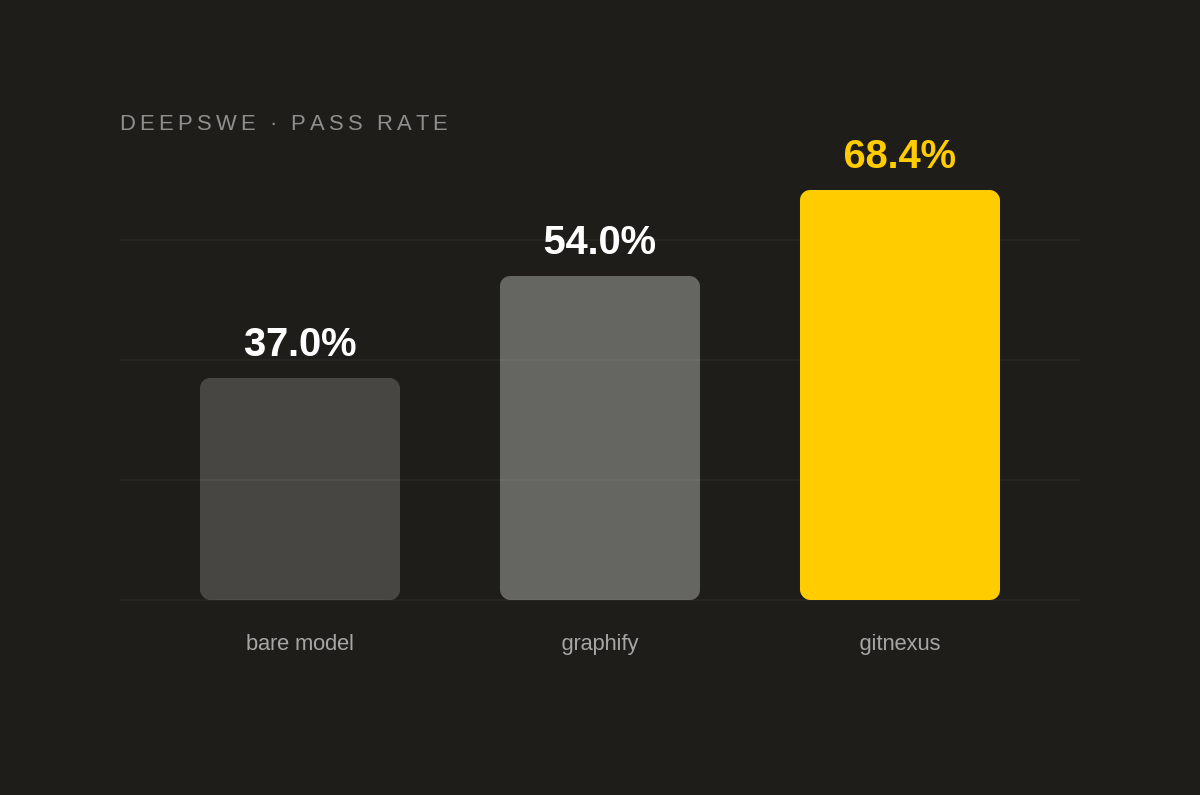
We ran DeepSWE, a set of real bug fixes and feature requests with tests, on 113 tasks from 89 open source projects. The model and harness were the same in every configuration. Full details are in Same model, 31 points better.
| Configuration | Verifier pass rate | Model cost per passing attempt |
|---|---|---|
| GitNexus | 68.4% | $0.88 |
| Graphify (code extraction) | 54.0% | $1.18 |
| Bare model | 37.0% | $1.79 |
This compares configurations as we set them up. It is not a ruling on Graphify in every setup, and it says nothing about Graphify's document and media indexing, which this benchmark does not exercise.
CodeGraph was not part of this benchmark. Its own results above measure architecture Q&A, not bug fixing, with different metrics, so they cannot be compared with ours. A fair comparison of all three would pin versions, use one repository at a fixed commit, ask each tool the same change questions, and check every returned caller and affected file against the source by hand. We have not run that yet.
Which should you pick
Graphify fits when the answers your agent needs live partly outside the code, in design docs, schemas or PDFs, or when you need a permissive license.
CodeGraph fits when you want an index that stays in sync on its own, a small default tool surface, broad language coverage and an MIT license.
GitNexus fits when the main job is changing code in a large or multi-repository codebase: dedicated tools for impact, tracing, diff mapping and renames, and a measured gain on real bug fixes. Its license is the main constraint. GitNexus is source-available under PolyForm Noncommercial, so commercial use needs a license from Akon Labs, which also offers managed, self-hosted and air-gapped deployments.
Try it on a repository:
npx gitnexus analyzeOr book a 30 minute walkthrough and we will run it on your codebase with you.